

Remote Controlled Electric Fan: Best Cruise Cabin Cooling
You're standing in your cabin doorway on embarkation afternoon with your carry-on still in your hand, and the air already feels warm and recycled. The thermostat is turned down, your partner claims the side of the bed nearest the vent, and there's nowhere sensible to set a bulky desk fan. That's the moment a remote controlled electric fan stops sounding like a gadget and starts sounding like sleep insurance, provided your cruise line lets you bring it and you know how to charge it safely.
Table of Contents
- Why Cabin Air Feels Different and What a Remote Fan Actually Solves
- Cruise Line Rules Most Fan Reviews Forget to Mention
- Choosing Between Magnetic Mount and Magnetic Hook Fans
- Speeds, Timers, Remote Operation, and What Matters
- Battery, Charging, and Overnight Safety in a Metal Cabin
- Packing, Mounting, and Living With the Fan On Board
- Your Pre-Sailing Fan Checklist and Final Takeaways
Why Cabin Air Feels Different and What a Remote Fan Actually Solves
Low ceilings change how a cabin holds air. Warmth collects quickly after a shower, after the balcony door's been opened, or when two people are getting ready in a space that barely fits the bed. The vent helps, but it rarely helps evenly, so one sleeper gets a draft while the other lies in still air.
I've learned to judge a cabin fan less by its maximum blast and more by whether I can civilize it at 2 a.m. A fan pointed straight at your face feels great for ten minutes and miserable at three in the morning. Air angled across the bed, bouncing slightly off a wall or ceiling panel, keeps moving without drying out your eyes.
What the Remote Really Buys You
The remote isn't about laziness. It's about not climbing over luggage, a sleeping partner, or a narrow gap between bed and vanity to change a setting. From the nightstand you can drop the speed, set a timer, or shut the unit off once the cabin finally cools.
- Direction without getting up: You can correct a bad angle after you're already settled, when you know how the air feels.
- Timer for sleep: A shutoff after you've fallen asleep prevents that cold, over-ventilated wake-up before dawn.
- Dim light on some models: A low setting can double as a nightlight for the bathroom trip, without the overhead lights.
That control has a longer history than most product pages admit. The modern electric fan emerged in the 1880s, and in 1882 Schuyler Skaats Wheeler developed a compact desk fan with a two-blade propeller on an electric motor shaft, as this timeline of fan development records. Those early units had no cages and no remote, of course, but they established the same basic bargain you still want in a cabin, localized airflow on demand.
If you can't adjust it from the pillow, you'll either tolerate the wrong setting or stop using it by night three.
Before you compare blade counts or speed claims, settle three practical questions. Will your line allow this exact device, where will it physically sit in a metal-walled room, and when will you charge it while you're awake to watch it? Get those wrong and the best spec sheet won't matter.
Cruise Line Rules Most Fan Reviews Forget to Mention
Don't treat small or battery-operated as synonyms for allowed. They aren't. Remote control and compact size don't establish admissibility, and a fan that's fine on one sailing can be held on another. That's the detail generic roundups skip, and it's the one that decides whether your purchase ever reaches your cabin.
Three Lines, Three Different Answers
MSC states that only electric shavers, hairdryers, chargers, and computers are permitted in cabins, according to MSC's cabin FAQ on permitted items. NCL takes a different position, saying small electrical or battery-operated fans may be brought aboard but remain subject to confiscation for inspection. Carnival moved the other way in 2025, adding handheld electric fans to its prohibited-items list, with medical exceptions requiring prior approval.
| Cruise Line | Small Fan Stance | Approval Path |
|---|---|---|
| MSC | Not listed among permitted cabin electrical items | Check current cabin FAQ before packing |
| NCL | Small electrical or battery-operated fans may be brought aboard, subject to confiscation for inspection | Be ready for security inspection at embarkation |
| Carnival | Handheld electric fans added to prohibited list in 2025 | Medical exceptions require prior approval |
Quick comparison of how three major lines treat small fans
Notice the wording trap. A rechargeable fan, a battery-operated fan, and a plug-in appliance aren't always treated as the same thing, and handheld doesn't necessarily describe a mounted cabin fan. Read the exact category your device falls into before you assume a loophole helps you.
Run This Check Before You Pack
- Open the current prohibited-items page: Use your specific line's page, not a forum post from a previous season, and check it close to departure.
- Match your exact device: Compare the policy language against your fan's battery type, charging method, and whether it also runs plugged in.
- Save the policy offline: Screenshot the relevant wording with the date visible, so you can show it without ship Wi-Fi or terminal signal.
- Ask before you travel if it's medical: If you need the fan for a medical reason, contact special-needs staff in advance and keep any approval with your boarding documents.
A broader packing sanity check helps too, especially for first-time cruisers sorting what's allowed beyond fans. Working through this guide to what you can take on a cruise before you zip your bag catches the items that cause terminal delays.
If security holds your fan, don't argue from a product listing. Staff may inspect it, hold it for the sailing, or reject it under the line's current rules. Stay calm, show your saved policy, and ask where and when a held item can be collected. Plan for the possibility that the answer is still no.
Choosing Between Magnetic Mount and Magnetic Hook Fans
Cruise cabins reward vertical thinking. Counters disappear under toiletries, charging cables, and excursion tickets within an hour, so a fan that needs flat desk space is competing with everything else you brought. The two useful form factors solve that differently, and neither wins in every stateroom.
Magnetic Mount Slim Fans
A magnetic-mount slim fan sticks directly to a suitable metal surface and frees the vanity entirely. Mounted high, it can send air across the bed instead of into the side of a suitcase. Because it's flat, it usually slides into a suitcase pocket or between clothing layers with less drama.
The catch is the word suitable. Closet doors, some wall panels, and certain ceiling sections may accept a magnetic base. Tiled bathroom walls, glass headboard panels, and fabric-covered wardrobe areas won't hold one. Painted or textured steel can also reduce grip, so a surface that looks perfect in a cabin tour video may disappoint you in person.
Magnetic Hook Fans
A magnetic-hook fan hangs from a hook you've placed on a wall or ceiling, which gives you options when there's no broad flat patch of metal where you want airflow. That flexibility matters if your cabin category is assigned late or you're sailing an unfamiliar ship. The trade-off is bulk, since the hook hardware and a less flat body don't always pack as neatly.
Understanding how magnets behave on ship walls pays off before you buy. Skimming this overview of using cruise ship magnets in cabins will help you spot likely mounting surfaces in cabin photos and avoid plans built around walls that won't cooperate.
One example of the hook format is the Rechargeable Cruise Fan with Magnetic Hook to Hang on Cruise Walls & Ceilings, a portable rechargeable option for cabins, staterooms, bedrooms, and travel setups. It uses a rechargeable battery-powered design, includes a magnetic hook, and offers timer and multiple speed settings on selected models in a compact, travel-ready form.
Placement test: If you can't name two plausible mounting spots in your cabin, choose flexibility over slimness.
My honest split is simple. If you know your ship and cabin layout, the slim mount is cleaner and packs easier. If you're guessing, the hook version forgives more surprises. Either way, test the hold with a gentle tug before you trust it above a pillow, and remove it if ship motion makes it creep.
Speeds, Timers, Remote Operation, and What Matters
A ship cabin is a bad place to fall for spec-sheet range. You are never far from the fan, so the question is simpler: can you reach the lowest speed, kill the light, and set shutoff without leaving the bunk or waking the person next to you.
The number that matters is the bottom of the speed range. Top speed helps after a sticky port day, then becomes noise. A low setting that still shoves air will drag paperwork off the vanity, dry your eyes, and turn a small cabin into a negotiation. I test fans by running the lowest speed beside the bed for ten minutes; if I keep thinking about the fan, it is too much.
Direction can rescue a bad mount. Check whether the head tilts or rotates, because the only metal patch may aim the airflow at your feet, a wall, or the bathroom door. A movable head lets a mediocre position still produce indirect circulation rather than a fixed blast.
For timers and remotes, judge them in the dark:
- Timer type: a staged countdown beats a single auto-off if you like airflow to fade after sleep.
- Remote coverage: it should run speed, timer, light, and oscillation where fitted, rather than power alone.
- Receiver path: if the fan sits behind a curtain edge or above the bed, a line-of-sight remote can turn convenience into reaching.
- Display behavior: a bright readout with no dim mode is a real drawback in an inside cabin.
Before sailing, run the controls like a drill. Charge it, cycle every speed, hide the remote under a pillow, and try the onboard buttons half asleep. If the fan restarts at full blast or forgets your last setting, that annoyance will feel larger at sea than it did in your living room.
Battery, Charging, and Overnight Safety in a Metal Cabin
A fan left charging under a towel on the bed while you're up at the pool is the scenario cruise-line battery rules are written for. Battery habits matter more on a ship than at home because you're charging in a small enclosed room, often within reach of bedding, with scarce outlets and a full port day tempting you to plug in and walk away. Airflow specs don't outrank that. If you won't manage the battery properly, leave the fan home.
The U.S. Coast Guard's guidance for small passenger vessels recommends charging lithium-ion devices only in regularly occupied or continuously monitored spaces, using a single outlet rather than daisy-chained power strips, and unplugging once the battery is full, as set out in the Coast Guard policy letter on lithium-ion batteries aboard small passenger vessels. NOAA gives the same advice for devices sitting on potentially hazardous surfaces: stay close enough to notice trouble.
That guidance also lists the warning signs: swelling, cracking, leaking, unusual heat, hissing, or smoke. Any one of them ends the fan's trip. A swollen casing or a unit that runs hot gets retired, because a stateroom is the wrong place to test whether a battery has one more charge in it.
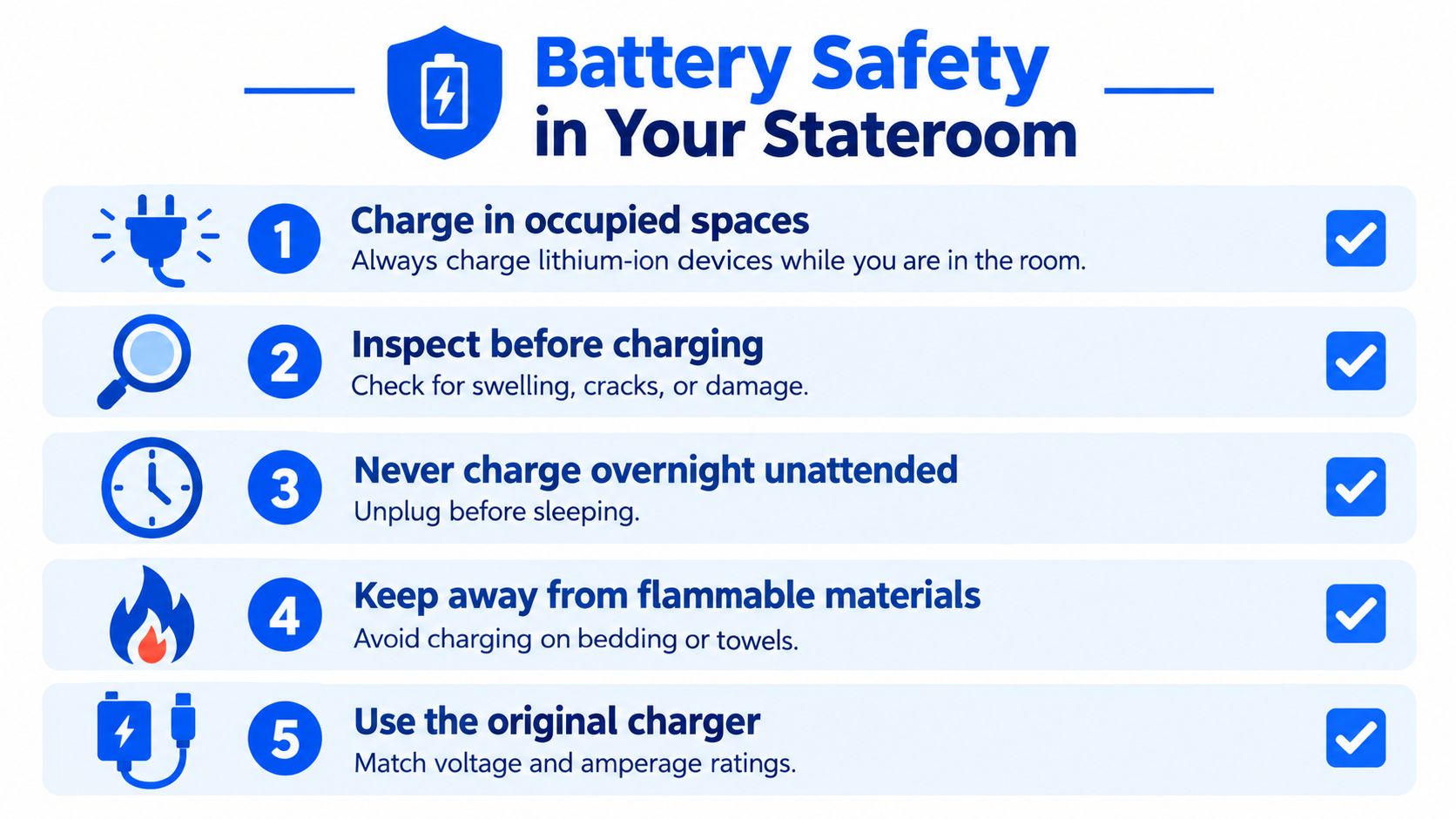
My charging routine on board is deliberately boring. The fan tops up at breakfast while I'm in the cabin, or during the gap before dinner, sitting on the desk where air can move around it and plugged straight into a single wall outlet. Cabin sockets are few and oddly placed, and this guide to cruise ship electrical outlets shows what you'll be working with, so I treat the charging window as something to plan rather than assume a free socket will be waiting at bedtime.
Three habits get lumped together that deserve separate answers: running the fan overnight on battery, charging it overnight, and running it while plugged in. The first is what these fans are built for. The second is the behavior the guidance warns against. The third keeps a device tethered to ship power unattended, which combines the worst of both. Charge under supervision, unplug, then let the timer handle the overnight run.
Charge it like you'll be there to notice a problem, because that's the entire point.
One failure mode has nothing to do with the battery itself. A remote pressed inside a packed bag can leave the fan running in an enclosed suitcase during disembarkation, draining the battery and warming a confined space. Power the unit fully off before it goes in the luggage, store the remote in a different pocket, and use the lock or battery disconnect if your model has one.
Packing, Mounting, and Living With the Fan On Board
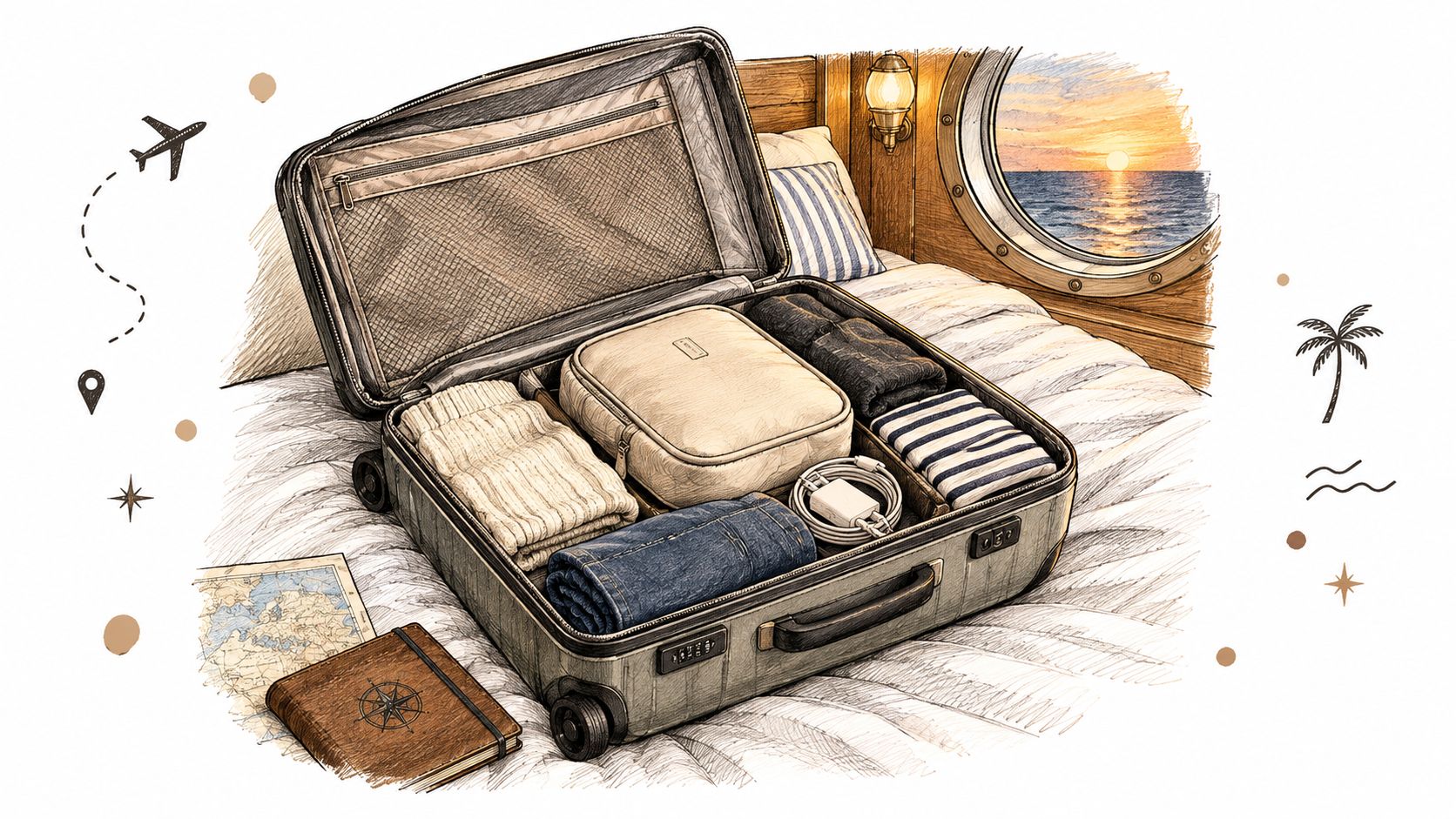
Embarkation day is the wrong time to discover a weak magnet. Pack the fan where pressure cannot bend the guard or pinch the cable, then keep the battery in the carry on you control rather than in checked luggage. That keeps the unit with you if a gate agent asks questions, and it keeps a half charged cell out of a hot cargo hold.
First Ten Minutes in the Cabin
Do the mount while the cabin is still uncluttered. Wipe the metal so the pad sits on paint rather than dust, press the base flat, then pull once in the same direction the fan will sag during ship motion. If the surface is curved, ribbed, or only thin trim, change surfaces before luggage covers the better spot.
| Mount test | What I do |
|---|---|
| Gentle tug | A slide means move it now |
| Air path | Send flow across the bed, just above pillow height |
| Remote home | Dominant hand side, same pocket or shelf every night |
| Cord slack | No loop dangling where shoulders pass at night |
Aim airflow across the bed, slightly above pillow height, rather than directly at your face. Put the remote on the nightstand on your dominant-hand side, in the same spot every night. A remote controlled electric fan only earns its keep if you can find the remote half asleep.
The Unremarkable Routine
After night one, the fan should need almost no attention. I check the mount when I make the bed, clear lint from the grille when I see it, and keep the remote from migrating into pockets or the safe. Ship vibration loosens marginal holds slowly, so the second check matters more than the first.
The payoff is boring in the good way. Air moves where bodies sleep, the timer shuts things down after you are out, and the fan stays a comfort upgrade instead of becoming the thing you babysit.
Your Pre-Sailing Fan Checklist and Final Takeaways
Save this on your phone and run it before you sail.
- Verify policy: Check your line's current prohibited-items page for your specific sailing, close to departure, and screenshot it offline.
- Inspect the unit: Look over the battery area, casing, cable, and charging port, and leave behind anything swollen, cracked, or unusually warm.
- Charge and test: Fully charge before boarding, then test speeds, timer, remote, and full power-off.
- Pack deliberately: Use a soft pouch between clothing layers, with the remote stored separately.
- Plan two mounts: Identify two likely metal surfaces from cabin photos, in case the first won't hold.
- Fix the routine: Decide your supervised charging window and your single remote spot before night one.
Two rules outrank every feature list. Cruise-line policy overrides the spec sheet, and battery safety overrides convenience. Treat the fan as a planned comfort upgrade, not a last-minute toss-in, and it'll earn its space in your bag.
If you're still choosing cabin gear, Nordmoose offers cruise-focused accessories built around metal walls, tight storage, and rechargeable comfort, including magnetic fans for compact staterooms. Browse the options alongside your cruise line's current policy, pick the format that fits your cabin layout, and pack it with the charging routine already decided.